
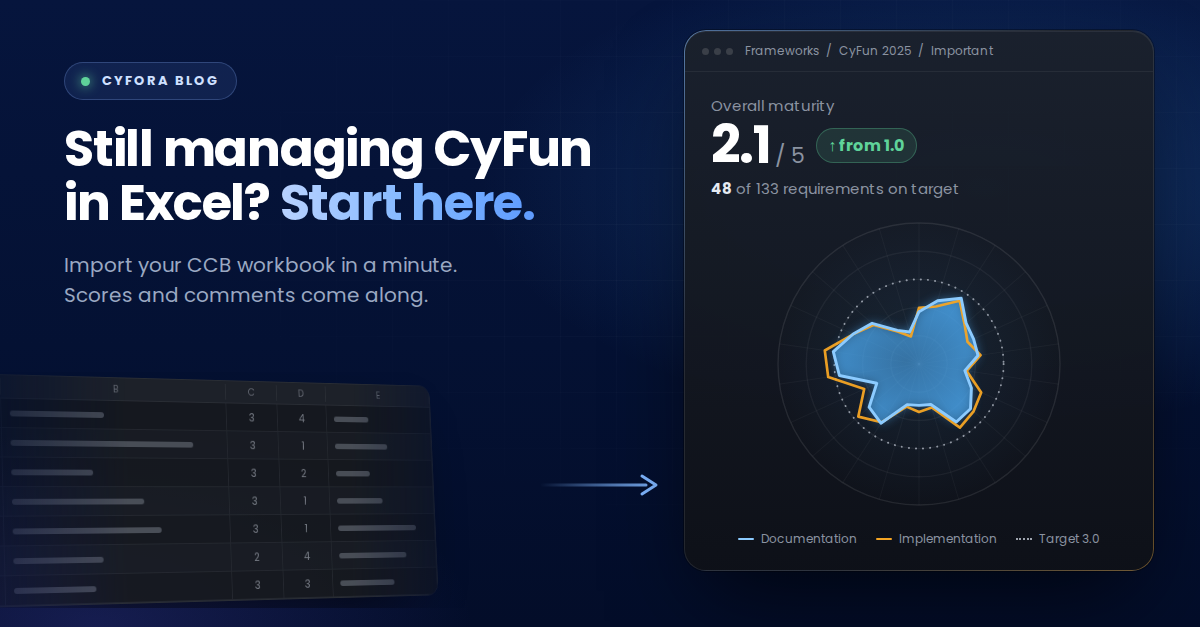
Still managing CyFun in Excel?
Almost every Belgian organisation working towards CyFun keeps its self-assessment in the CCB spreadsheet.
That is a sensible place to start. The CCB provides it, the structure matches the framework, and you can open it without asking anyone for a budget. For a first pass, it does the job.
The trouble starts once the assessment stops being a one-off exercise. This is about what to do with that spreadsheet when you outgrow it, and why the answer is not to abandon it.
Why almost everyone starts in the spreadsheet
There is no criticism hidden in this section. A spreadsheet is the obvious tool for a structured list of controls, and the CCB version comes pre-built with the framework already in it.
Teams fill in their documentation scores, their implementation scores, and the comments explaining why a control sits where it does. Those comments are usually the most valuable part of the file, because they hold the reasoning that nobody writes down anywhere else.
By the time an organisation starts looking for something better, that file typically represents weeks of accumulated work.
Where it breaks down
Four things go wrong, and they go wrong gradually.
It is static The scores reflect the day someone filled them in. Nothing updates when the environment changes.
There is no history When a score moves from three to two, the spreadsheet shows two. What it was before, when it changed and why are gone unless somebody kept a copy.
It has no connection to what is running The implementation score is an assessment of your technology written by hand. Nothing checks it against the technology itself.
It is unreadable for a management team A board does not want two hundred rows. It wants to know which domains are weak and whether the direction is up or down.
"The spreadsheet holds weeks of work and none of the movement."
What the import actually does
The obvious fear is that moving to a platform means retyping everything. It does not.
When you create a new tenant, the framework starts empty. The spider chart shows nothing and the maturity level defaults to one, which simply means no data has been entered yet.
You go to Frameworks, then CyFun, then Import, and select your CCB file. The platform processes every data point in it: the documentation scores, the implementation scores, and the comments you wrote alongside them.
Before anything is applied, you get a validation screen. You can walk through the imported data one entry at a time and check it, or apply the changes directly.
The whole sequence takes under a minute. For a framework carrying one hundred to two hundred controls, that is the difference between adopting a platform and postponing it indefinitely.
What you see afterwards that you could not see before
The moment the changes apply, the empty spider chart fills.
That visual is the first thing most people react to, and it is not just decoration. The chart shows every domain scored side by side, which is the view a spreadsheet cannot produce without somebody building it manually each quarter.
You can switch between a high-level overview suitable for a management conversation and a detailed view carrying every individual score. Click into a category and the underlying data appears, including the comments you already wrote in the Excel. The reasoning travels with the scores.
From that point on, the maturity assessment lives in the platform rather than the file. Which means the next change gets recorded, dated and kept, instead of overwriting the previous value in a cell.
What is included in the free plan
Cyfora Free covers four things:
Management CyFun 2025, including the Excel CCB import described above
History overview, so every score change is retained with the data behind it
Single technology best practice, one technology component benchmarked against best practice
Single security policy analysis, one policy document analysed against the framework
That combination is deliberately shaped around the first week rather than the first year. Import what you already have, connect one technology, analyse one policy, and see what the three together tell you that the spreadsheet on its own could not.
The next step once you want more
If the first import is useful, the natural questions follow quickly. What happens when we connect the rest of the stack? What does the trend look like across every domain rather than one? What does the evidence behind each score look like when it is collected automatically?
Those are worth a conversation rather than a feature list, because the answer depends on which technologies you run and which framework tier you need to meet.
From a static file to a living framework
Your CCB spreadsheet is not the problem. It is a perfectly reasonable record of a moment, and it contains work worth keeping.
What it cannot do is move with you. Cyfora imports that file, maps every data point to the right control, keeps your comments intact, and starts recording what happens next.
Start free and bring your own data. The import takes a minute.
